Week 08 Urban Dynamic Data Visualization I

From urban systems and open data to AI-assisted Insight

More than data
on a map.

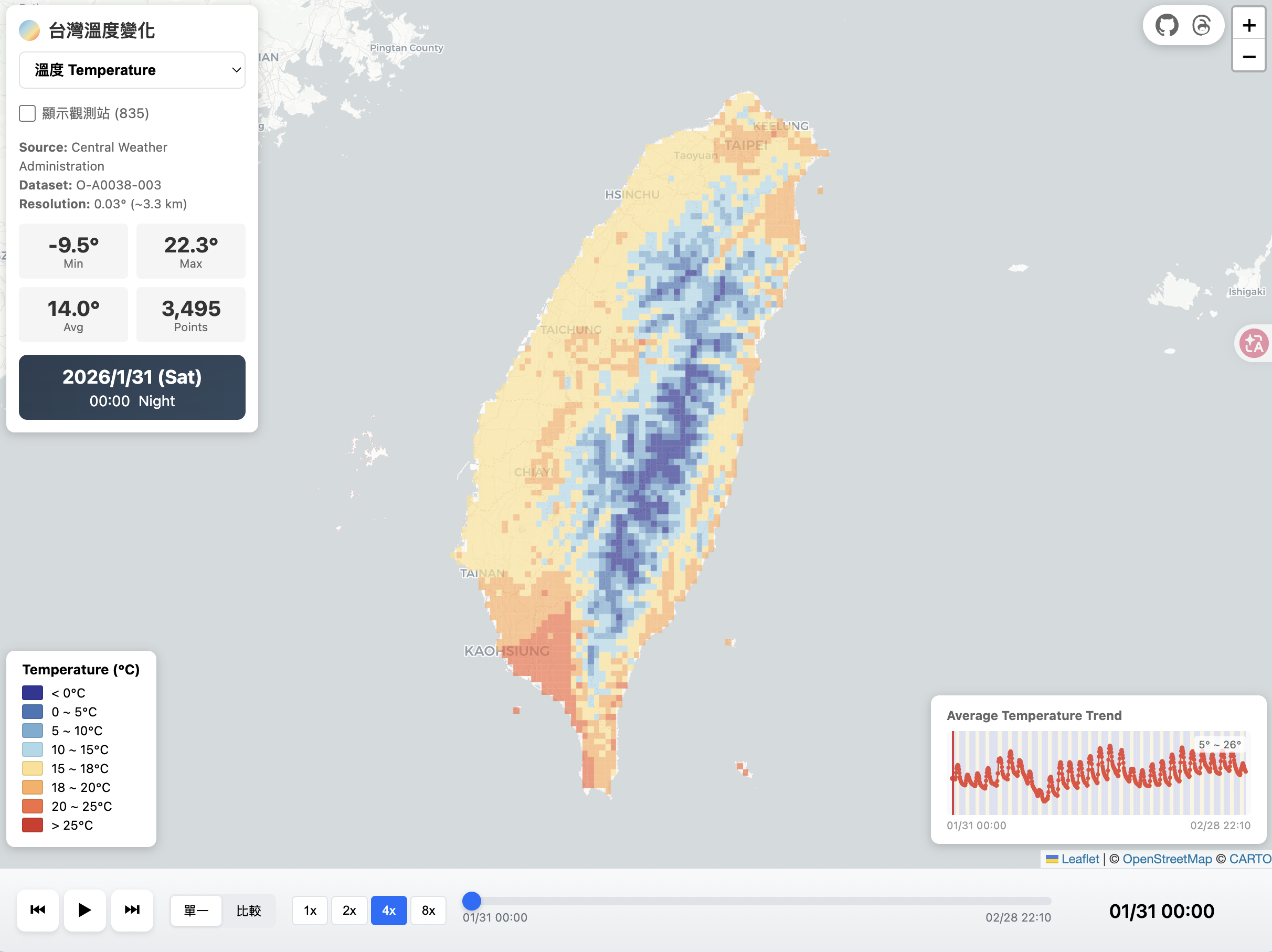
Mini Taiwan Pulse visualization of temperature change across Taiwan, with a map, legend, trend chart and time controls
Mini Taiwan Pulse Raster × Chart × Timeline
360minutes, full version
11teaching chapters
03hands-on deliverables
System Question Data Visualization Insight Action
Traditional Outline Expand for the bulleted teaching content 6 stages · 11 chapters · 1 workshop
Unit Possible content Format
01 · System Thinking
  • A layer is not an Insight
  • Upstream, downstream and affected parties in urban issues
  • Water resources as the main case; transfer to the Food System
Problem framing / case
02 · Question
  • Rewrite system elements as Data Questions
  • Question → Evidence → Dataset
  • Confirm the evidence you need before searching for data
Case breakdown
03 · Data
  • API data: NCDR CAP, CWA animated imagery
  • AI-assisted: structuring RSS, announcements, PDFs and images
  • Source, update time, coverage, gaps and manual review
Data inventory
04 · Visualization
  • Point / Line / Polygon / Raster and temporal forms
  • plan-art: trajectory art, stacking and phenomenon recognition
  • mini-taiwan-info: KPIs, rankings, trends and non-GIS charts
Visual cases / comparison
05 · Insight
  • Observation → Finding → Insight
  • What / Where / Compare / Why / So What / What Next
  • Association ≠ Causality
Interpretation practice
06 · Action
  • AI Agent: Discover → Acquire → Validate → Monitor
  • Human / AI division of labor and the hypothesis space
  • Turn results into verification, investigation and reproducible next steps
Process demo / discussion
Mini Workshop
  • System Map
  • Data Inventory
  • Visualization Hypothesis
Group workshop
Start reading

Course Positioning

From “seeing a phenomenon” to “knowing the next step.”

When you meet an urban issue, look past the single event or layer to the system behind it. Then find the data, choose a visualization approach, and explore and verify with an AI Agent.

The core shift “This is not a layer,
it is a system.”
Exploration Loop Real research is not a one-way process
Question Data Visual New
Question

Learning Outcomes

Three skills that connect one line of thinking.

01

System
Thinking

Expand a single phenomenon into its upstream, downstream, environment, people and facilities, and identify the system relationships that must be observed together.

  • See how layers relate
  • Transfer the method to other issues
03

Actionable
Visualization

Move from observation to finding, insight and action, and understand that correlation is not causation.

  • Pick the right visual form to answer the question
  • Point results toward the next action

Week 08 · 360-minute full version

The full teaching flow, from System to Action.

Six Parts map to six stages of thinking. Instructors can skim each summary first, then expand to check the actual chapters, cases and student deliverables.

  1. 01System65 min
  2. 02Question25 min
  3. 03Data20 min
  4. 04Visualization40 min
  5. 05Insight20 min
  6. 06Action70 min
I
System · Understand the System

From thinking in layers to thinking in systems

First understand the upstream, downstream, environmental conditions and affected parties behind a phenomenon, then decide why the data belongs together.

00:00— 01:05
This part answersThis is not a layer, so which system is it?
Ch. 01Why a “layer” is not an Insight20 min
Ch. 02System Thinking: the water resources case30 min
Ch. 03Second case: Food / Agricultural System15 min

Main case

How does a drop of water unfold into an urban system?

From rainfall, watersheds, rivers, reservoirs and intakes, through to household water use, flooding and shortage, plus upstream factories, livestock and land use.

Not

“I want to map factories.”

But

“I want to know what possible pollution sources lie upstream of the water intake.”

01Rainfall
→
02Watershed / River
→
03Reservoir
→
04Intake
→
05Household use

Too much: flooding and disastersToo little: shortage and groundwaterUpstream: pollution risk

Students build in this partSystem Map

Unfold a single phenomenon into system relationships that can be discussed and transferred.

II
Question · Frame the Question

Translate the system into evidence you can look for

Don’t rush to data portals. First rewrite each system element as “what do I want to know, and what evidence do I need?”

01:05— 01:30
This part answersHow do students turn a system into data questions they can answer?
Ch. 04How to turn a system into Data Questions25 min
System→Question→Evidence→Dataset
System elementWhat to knowEvidence neededTimeSpace
RainfallWhere is it raining?Rain gauges / RadarDynamicPoint / Raster
ReservoirHow much water is left?Storage rateDynamicPoint / Polygon
RiverWhere does the water flow?River mapsStaticLine
IntakeWhere is water drawn from?Intake facilitiesStaticPoint
FactoryWhere are potential pollution sources?Factory registryLow-frequency changePoint
FloodingWhere are problems happening now?Sensors / AlertsReal-timePoint / Polygon
Students complete in this partEvidence Questions

Know what you are looking for, rather than just collecting whatever layers are available.

III
Data · Find & Evaluate Data

Find the data, and judge whether it is usable

Recognize official, community, remote-sensing, sensor and unstructured data, and check source, time, coverage and reliability.

01:30— 01:50
This part answersWhere might the evidence you need be, and what are its forms and limits?
Ch. 05Open Data Landscape: from API to AI-assisted Extraction20 min
A
Machine-readable

Data you can connect to directly via API

The data already has fields or a standard format. The focus is reliable ingestion, field normalization, time ordering and spatial conversion; an LLM is not always needed.

Fetch→Normalize→Validate→Store
NCDR CAP alerts

Event type, severity, validity period and Polygon are already structured; you still need to handle missing geometry, time fields and expiry rules.

CWA animated imagery

The API does not always return tables; imagery also needs observation time, bbox, dimensions and format before it can be arranged into a playable time series.

Limit: An API returning data does not mean it can go straight onto the screen.

B
AI-assisted Extraction

Data that needs an extra AI step

RSS, announcements, PDFs and images are readable but have no consistent fields; after AI-assisted extraction, rules, gazetteers and human review still act as gatekeepers.

Collect→Extract→Normalize→Review
Real-time news RSS

Multi-source RSS → URL deduplication → AI extracts place names, category and newsworthiness → validation against the township name list → structured events.

PLA aircraft incursion reports

Daily JPG → image text transcription → regex parsing → Chinese/English cross-validation → vectorized activity zones → needs_review.

Limit: AI does not decide official coordinates; results that fail quality checks must be marked as pending verification.

Data sources

Official / API, community and civic, Remote Sensing, Sensor / Real-time, PDFs / announcements / news / RSS / images

Common checks

Source · Update time · Coverage · Gaps · Metadata · Reproducibility · Need for manual review

RSS / PDF / Image→AI Extract→Rule / Gazetteer→Validation→Structured Data
Students build in this partData Inventory

List 5–10 candidate datasets, marking access method, the role of AI, Source, Spatial, Temporal and limits.

IV
Visualization · Choose a Visual Language

Recognize the form of the data, and choose a visual language that answers the question

Based on the question, scale and temporal character, choose among map, chart, timeline, flow, animation and 2D / 3D.

01:50— 02:30
This part answersWhich data should become points, lines, polygons, Raster, charts or animated timelines?
Ch. 06Spatial and temporal forms of data20 min
Ch. 07Choosing the Right Visualization20 min
Ch. 08Beyond the Map: Trajectory Art × Information ChartsSupplementary case
GeometryPoint · Line · Polygon · Raster
TimeStatic · Snapshot · Changing State · Event · Trajectory · Monitoring
EncodingPosition · Size · Color · Opacity · Height · Motion · Trail
Where? MapHow much? Chart When? TimelineHow connected? Network / Flow

Scale matters: A park may be a Polygon at the Taipei City scale but a Point at the Taiwan-wide scale. Not all data needs animation or 3D.

Combined view of Taiwan temperature Raster, timeline and trend chart
Temperature changeRaster · Timeline · Chart
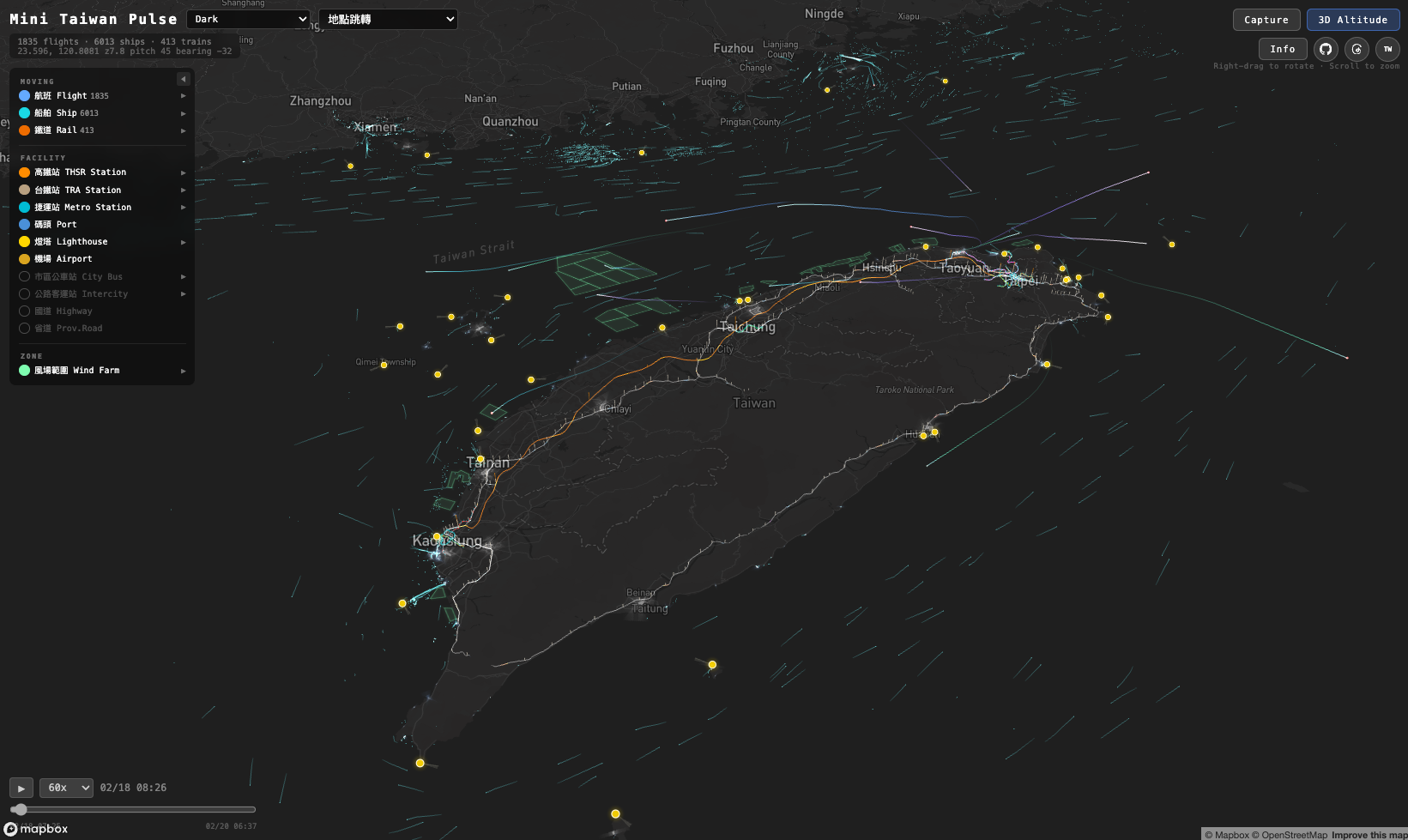
Illustration of Mini Taiwan Pulse showing multiple layers across Taiwan
Multi-layer OverviewLayer · Context · Compare
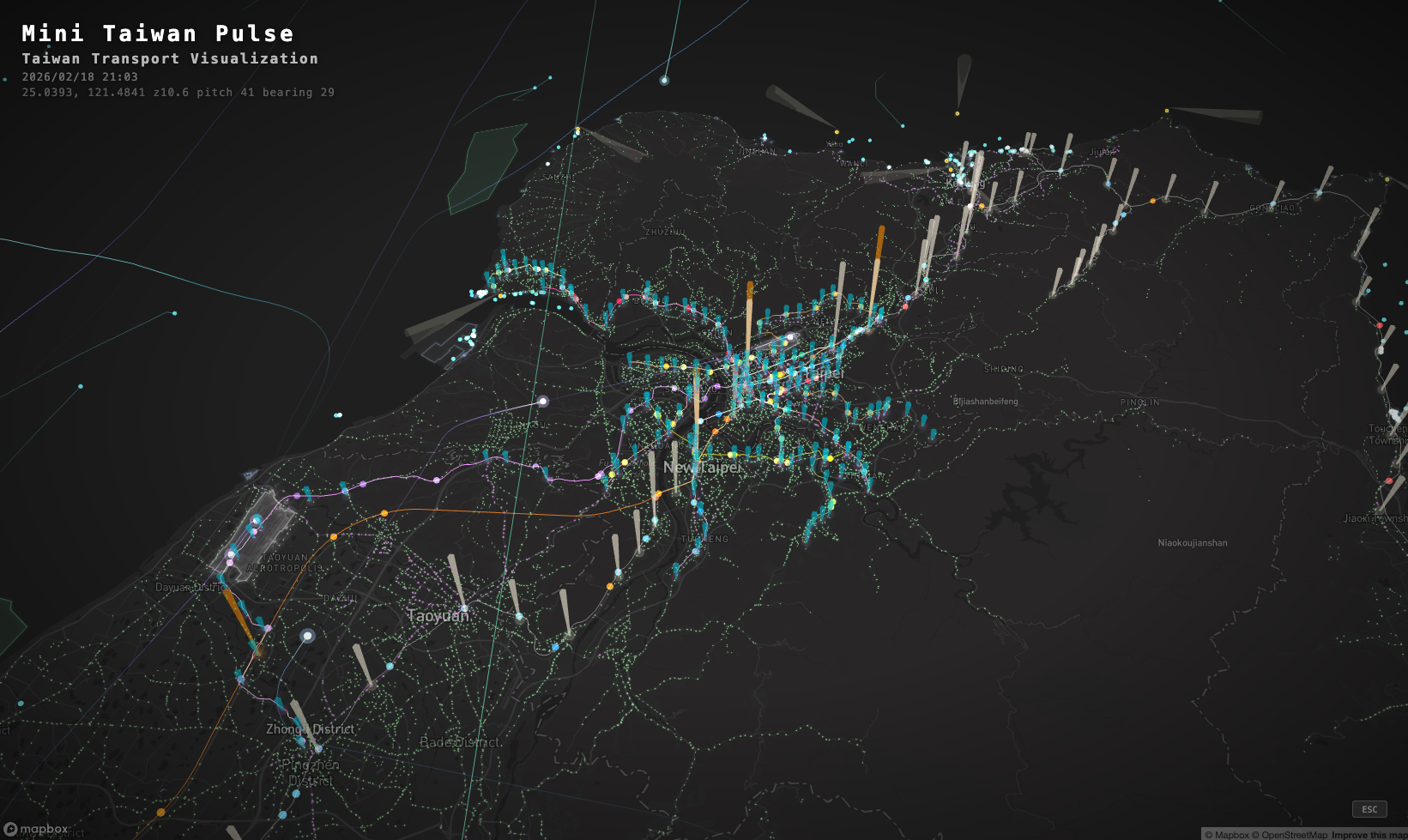
Illustration of 3D rail and facilities visualization in northern Taiwan
3D rail and facilitiesNetwork · Height · Scale
Ch. 08Beyond the Map

The same data can become trajectory art, evidence of a phenomenon, or simply a good chart.

Visualization is not “draw a map whenever there are coordinates.” First decide whether the question is about location, movement, comparison, trend or composition.

Case A · plan-art
Trajectories: from generative art to phenomenon recognition

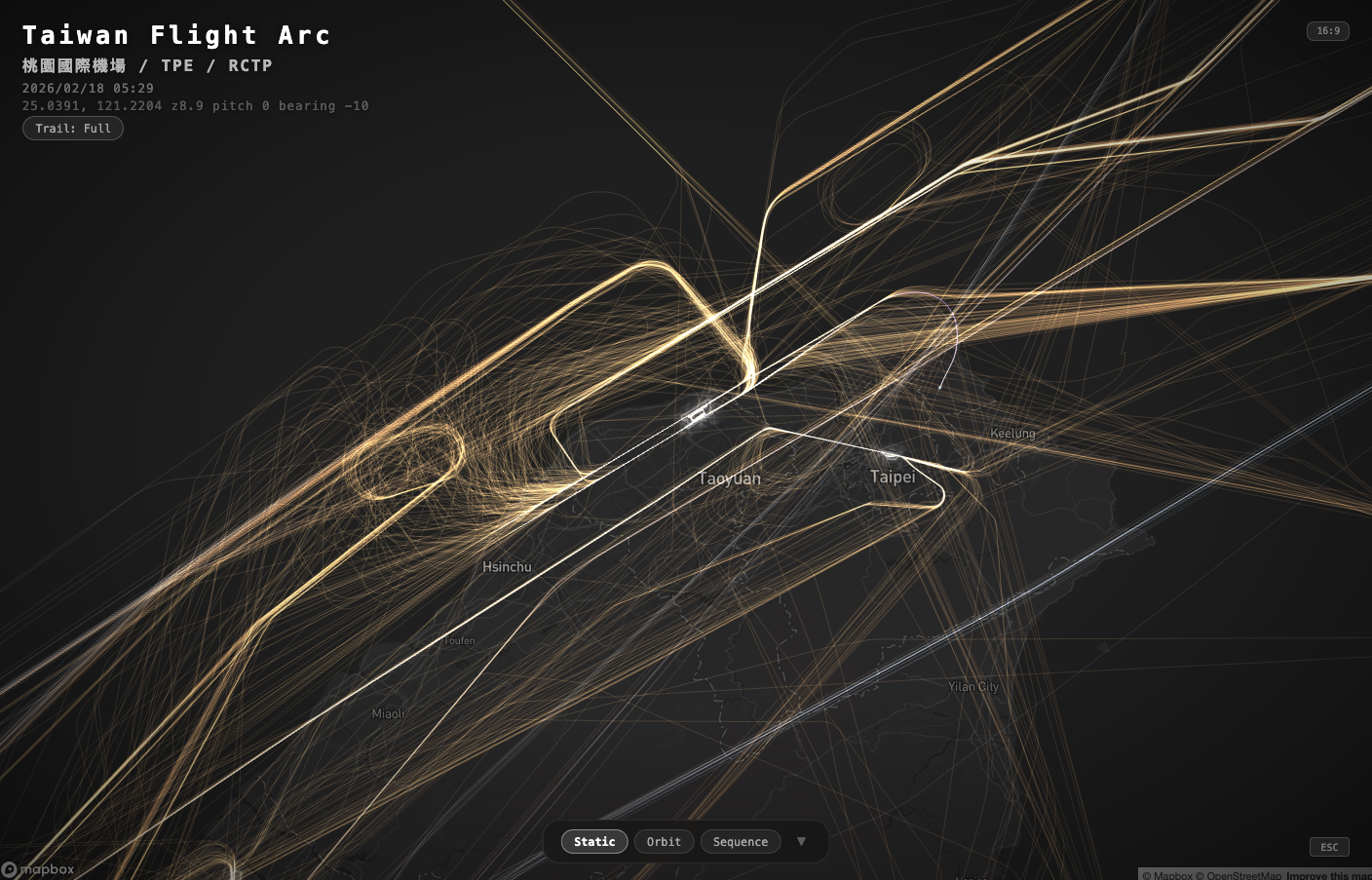
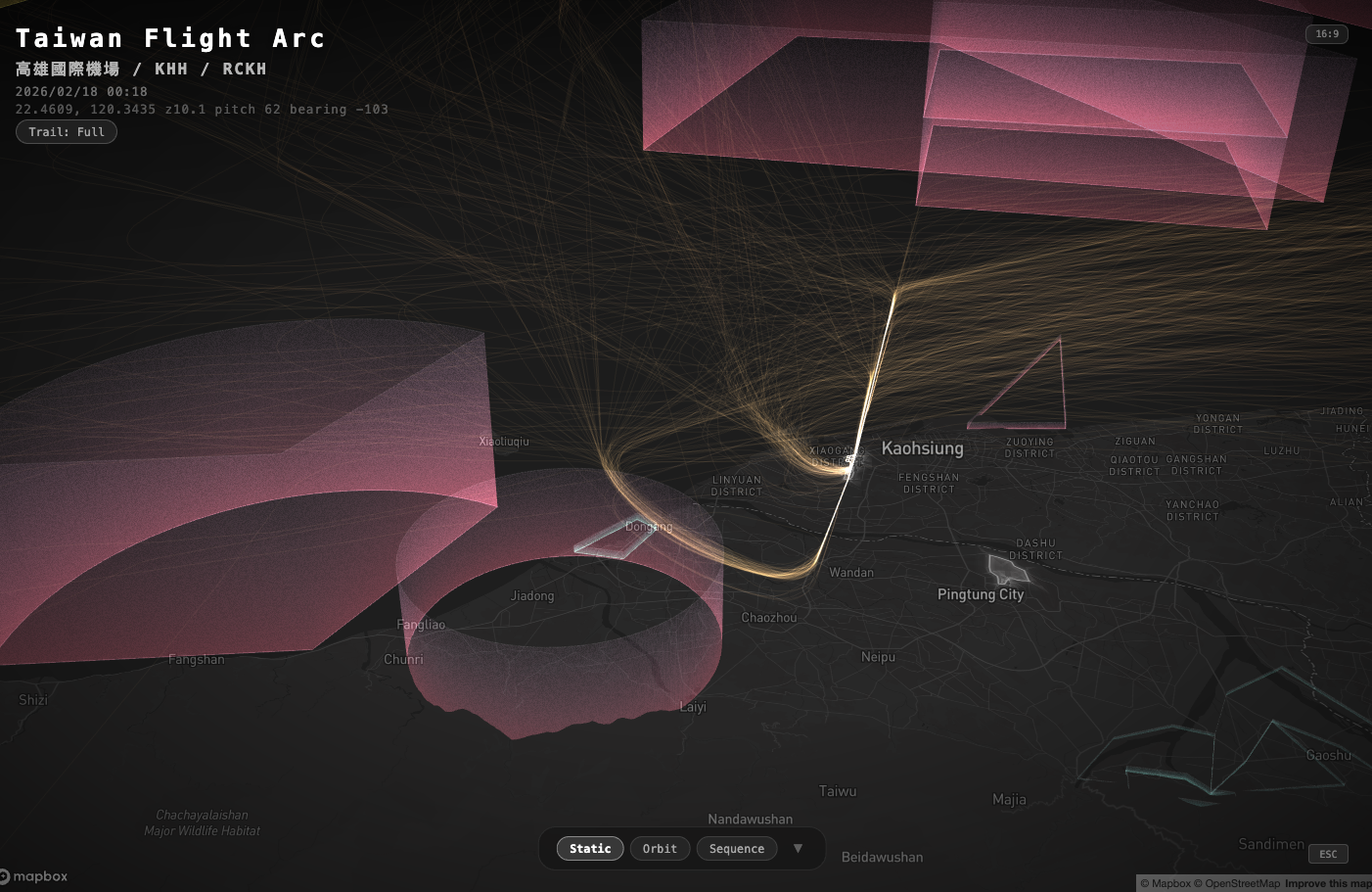
Once position, time and altitude are strung into 2D / 3D trajectories, stacking many flight tracks can form a visual “fingerprint” of an airport. Overlaying restricted zones, terrain or weather then reveals detours, holding patterns and differences between conditions.

  1. STACKStack many trajectories to reveal recurring shapes.
  2. OVERLAYTrajectories × restricted zones / weather, to compare rules with actual behavior.
  3. COMPARECompare route changes across dates, before and after events, or under different conditions.

A trajectory map offers leads worth following up; it does not prove causation by itself. It still needs verification with time, regulations, weather or other data.

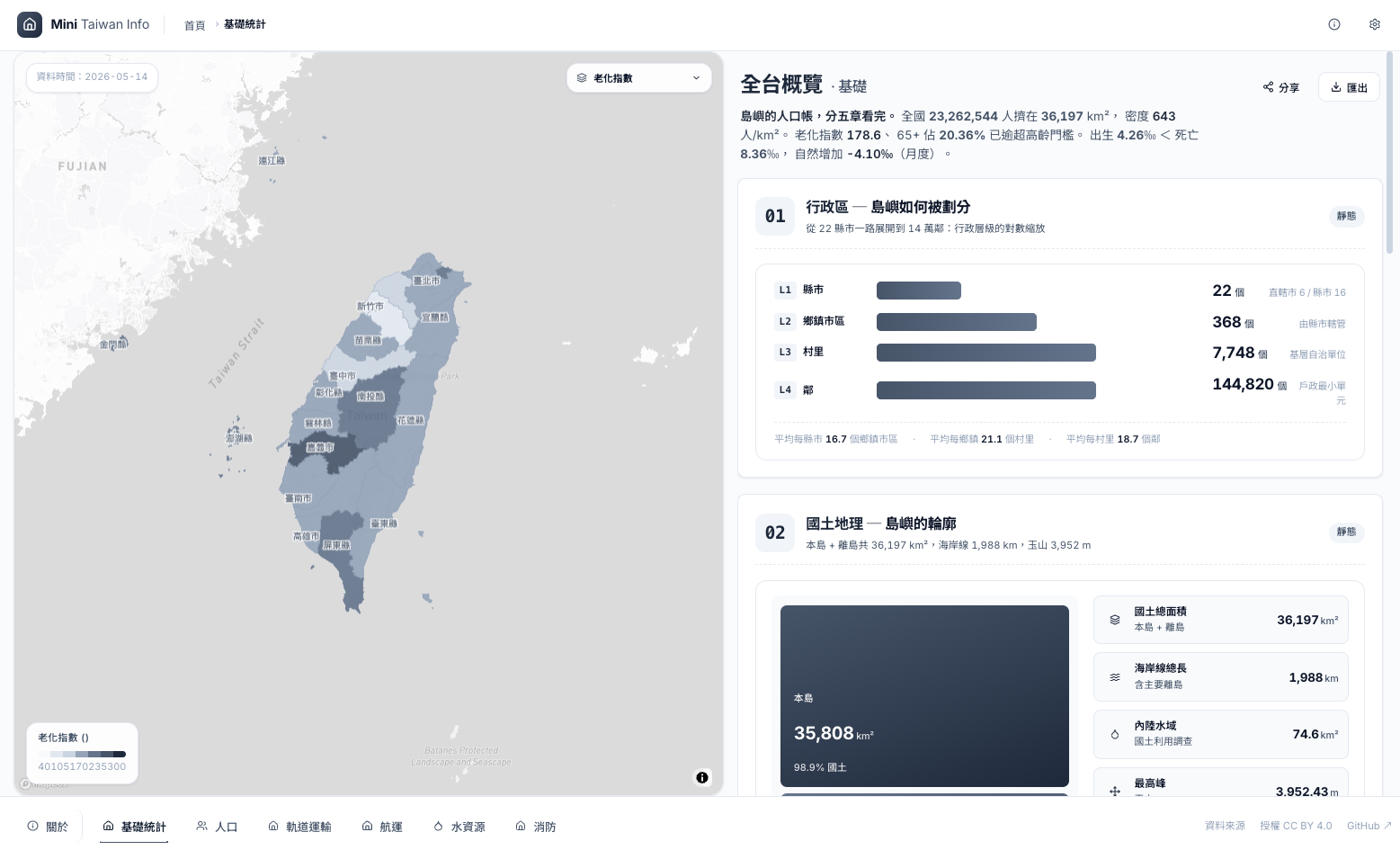
Mini Taiwan Info presenting government data as a map, indicator cards and comparison charts
Mini Taiwan InfoMap + KPI + Ranking
Case B · mini-taiwan-info
Beyond the map: indicators, rankings, trends and composition

Data such as population, fire incidents and water use does not always need coordinates. Depending on the question, it can become KPI cards, ranking bars, time trends, composition charts or lookup tables.

KPIHow much now?
RankingWho is higher or lower?
TrendHow is it changing?
CompositionWhat is it made of?
TableWhat are the details?

Real data comes first; where data gaps or prototypes remain, label them clearly and never present a design mock-up as live conditions.

Students present in this partVisualization Choice

Explain why this visual form answers the question better than another.

V
Insight · Interpret Honestly

From seeing a phenomenon to an interpretation worth acting on

Take an Observation through locating, comparing and interpreting until it becomes an Insight / Hypothesis, without presenting association as causation.

02:30— 02:50
This part answersWhat do you see, what does it mean, and what can you not yet claim?
Ch. 09What exactly is an Insight?20 min
WHAT?→WHERE / WHEN?→COMPARE→WHY?→SO WHAT?→WHAT NEXT?
Observation

There are many factories here.

Finding

Factories cluster along a particular river stretch.

Insight / Hypothesis

A cluster of high-pollution-risk facilities upstream of a water intake merits closer checks on discharge, water quality and land use.

Association ≠ Causality

“Worth investigating” is an actionable next step, but it does not mean causation has been proven.

Students form in this partInsight / Hypothesis

Clearly mark findings, associations, possible causes and what still needs verification.

VI
Action · Test, Reproduce & Continue

Turn Insight into the next investigation and a reproducible exploration loop

AI Agents widen the exploration space while humans keep responsibility for judgment; a group workshop then carries the Hypothesis into Week 09 verification.

02:50— 04:00
This part answersNow that you know, what do you investigate, verify, design or keep monitoring next?
Ch. 10How AI Agents change Data-informed Design20 min
Ch. 11From one-off operations to Loop Engineering10 min
LabSystem Map → Data Inventory → Visualization Hypothesis30 min
WrapReview the method and bridge to Week 09 verification10 min
Discover→Acquire→Validate→Transform→Visualize→Inspect→Refine→Monitor
AI can help with

Finding data · Reading APIs · OCR · Cleaning · Spatial Join · Coding · Debugging · Monitoring

Humans must own

Defining the question · Judging plausibility · Interpreting relationships · Avoiding far-fetched causation · Deciding the final Insight

Loop Engineering must leave behind

raw data · processed data · script · prompt / rule · metadata · source · timestamp

The faster the AI, the more validation matters.

Students pick one topic from urban heat, flooding, elderly mobility, food supply, public transport or urban green space, and complete three deliverables with AI.

01
Deliverable

System Map

Map the interacting system elements behind the problem.

02
Deliverable

Data Inventory

List 5–10 datasets with their sources and spatial and temporal forms.

03
Deliverable

Visualization Hypothesis

If I show A, B and C together, I expect to observe X.

Next · Week 09I think these may be related.→Let’s test it.

Acquire → Transform → Visualize → Interact → Validate → Interpret
What students take away is more than a map.

Understand the system, find the evidence,
build visual relationships, decide the next step.

Back to top